Your standing desk.
From your Mac.

A native macOS app for your IKEA IDÅSEN desk. Save your sitting and standing heights, change position from the menu bar, and see how your day adds up.

macOS 14+ · Bluetooth LE · Built with SwiftUI

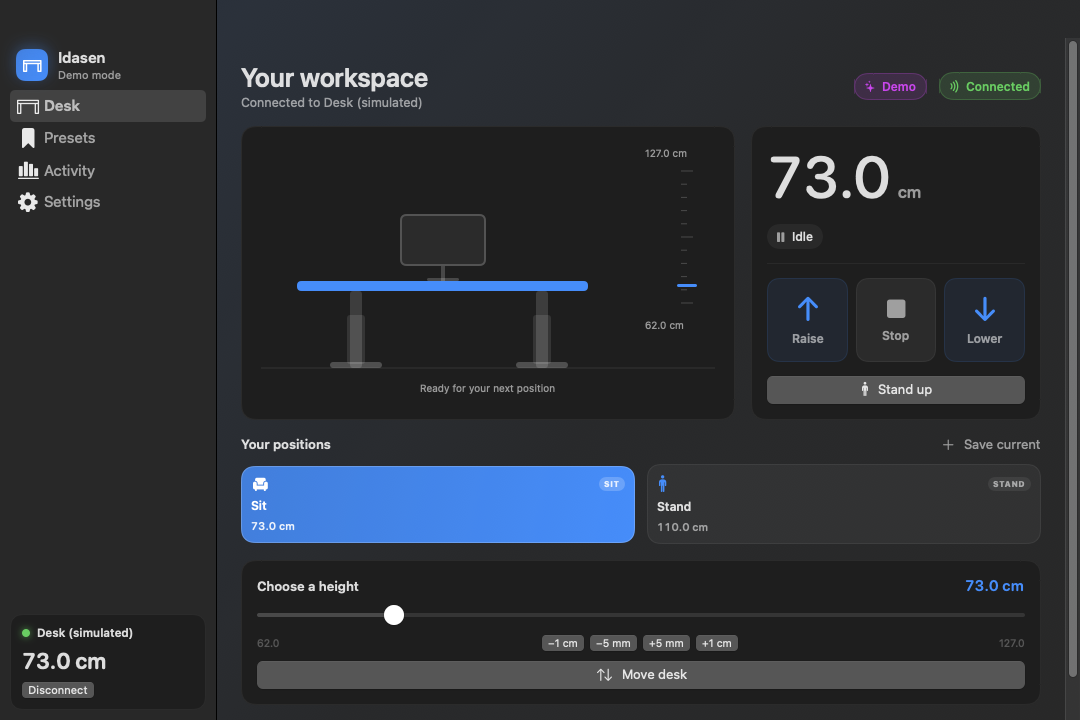
Idasen in demo mode at 73 centimetres, with Raise, Stop and Lower controls, Sit and Stand presets, and an exact-height slider
Desk controls in a development build. The current app also includes a grouped sidebar and today’s sitting and standing summary.

A position for every part of the day.

Save the heights that work for you. Mark a sitting preset and a standing preset, then switch between them with a click or keyboard shortcut.

For small adjustments, hold Raise or Lower, or use fine nudges. Releasing the control requests a stop.

Within reach, in the menu bar.

A desk icon and live height sit beside your other Mac utilities. Open the menu for presets, movement controls, and today’s sitting and standing totals. Global shortcuts work while you use another app.

A reminder you choose.

Opt into standing reminders, choose an interval, and snooze for ten minutes when you need more time. Track a daily standing goal in the dashboard. Time is estimated from desk height while connected; it does not measure whether you’re at your desk.

Make room for a different position.

Download the Apple silicon app, or build Idasen on your Mac. The download is ad-hoc signed and is not notarized.

Build from source

Install Xcode 27 with its command-line tools, then run:

git clone https://github.com/zcuric/idasen-macos.git
cd idasen-macos
make app
open build/Idasen.app

Requires Swift 6.4 for the verified build toolchain. Local builds are ad-hoc signed, not notarized. Packaged builds state their supported architecture and signing status.

Launch the app, wake the desk with its handset, choose Find desk, and allow Bluetooth access. A demo mode lets you explore without a desk.

Before you connect.

Which desks work?

Idasen is developed for the IKEA IDÅSEN Bluetooth standing desk. Other LINAK controllers may use the same protocol, but compatibility with those desks is unverified. This is an independent project, unaffiliated with IKEA or LINAK.

Where is data stored?

Settings, presets, and desk-height history are stored locally on your Mac. The app uses CoreBluetooth to communicate directly with the desk. CSV export is available in Activity.

Are the motors faster?

The app reduces avoidable command delays and handles Bluetooth write queues. It does not change the motor’s rated speed or expose a verified acceleration or braking setting. Manual release and Stop request an immediate stop.

Desk not showing up?

Wake it using the physical handset, confirm Bluetooth permission, and close any phone app connected to the desk. The controller may accept only one connection at a time. Try scanning again.

Can I try demo mode?

Yes. Enable demo mode in Settings to explore controls and views with a simulated desk. Simulation does not verify real hardware behaviour.